Delete Your E-Mandi Bill Account Safely
Last Updated: 02-Feb-2026
You’re in control of your data. Follow the steps below to permanently delete your E-Mandi Bill account and all associated information from the app.
⚠️ Before You Delete Your Account
Deleting your account is a permanent action. Once completed, your bills, customers, inventory and all related data stored in the app will be removed and cannot be recovered.
All Data Removed
Your account, billing records, and app data associated with your profile are deleted from the application database.
No Future Access
You won’t be able to log in with this account again. To use E-Mandi Bill later, you’ll need to register a new account.
Export Before Deleting
If needed, export or save important reports or invoices before you proceed with deletion.
How to Delete Your Account in the App
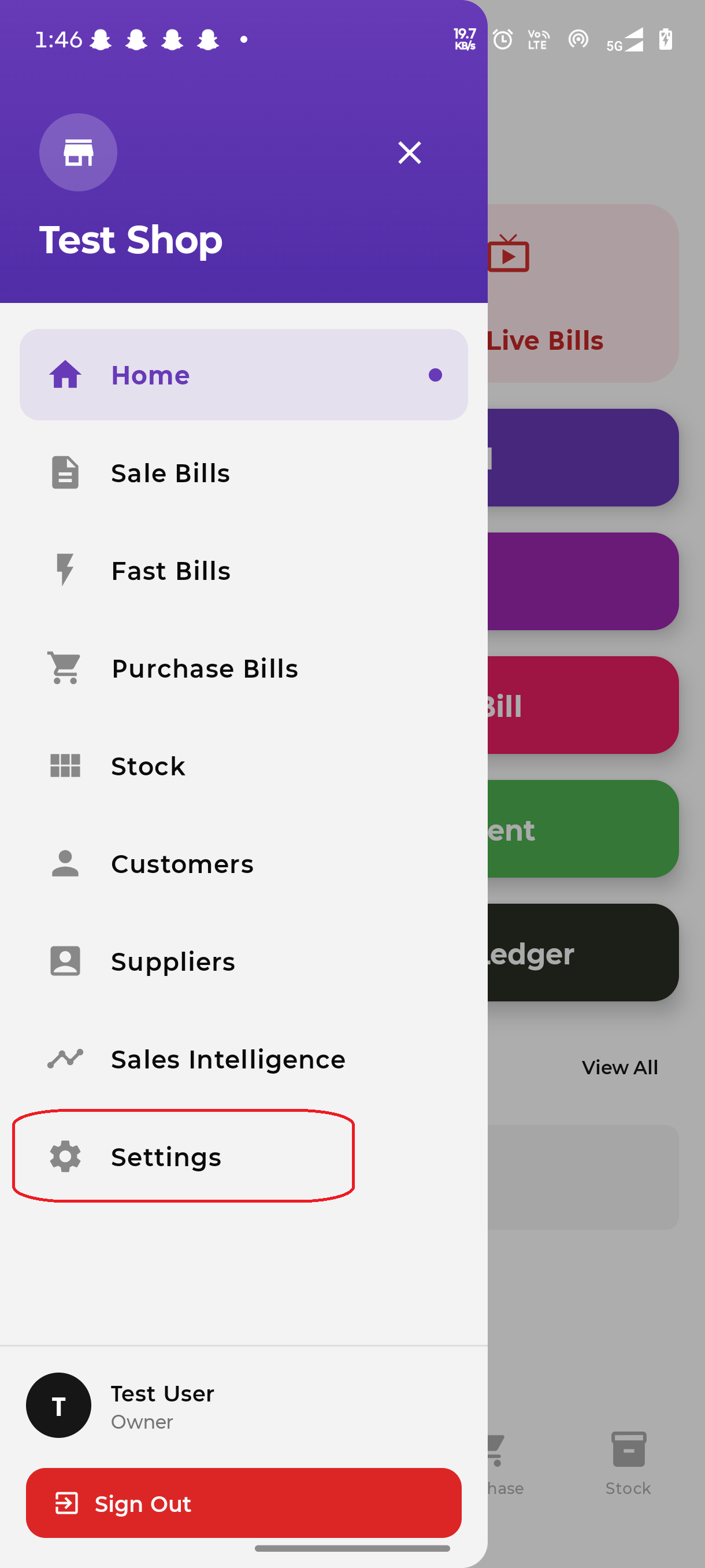
1Open the Side Menu & Go to Settings
Open the app and tap the menu icon (☰) at the top left, then select Settings.
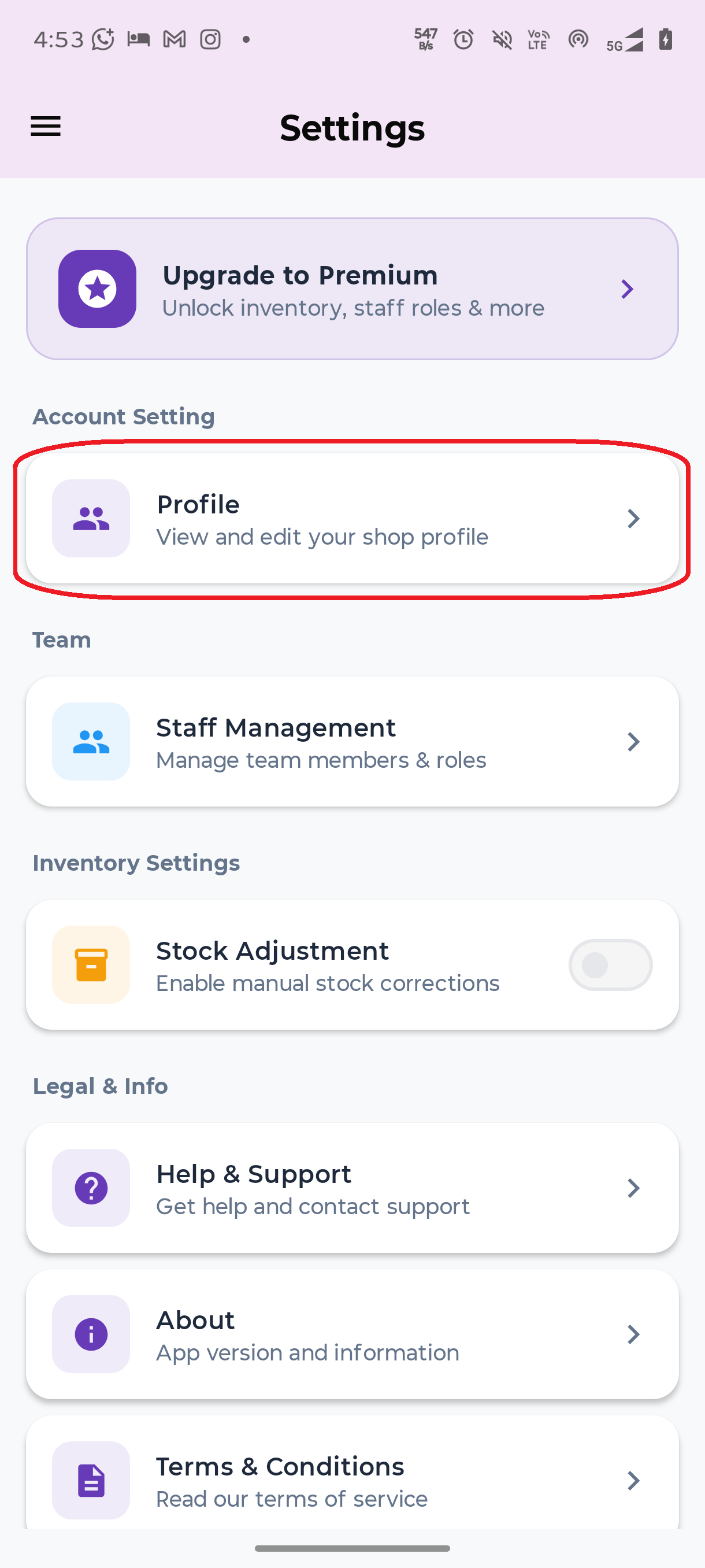
2Go to Profile
Under the Account Setting section, tap Profile → "View and edit your shop profile".
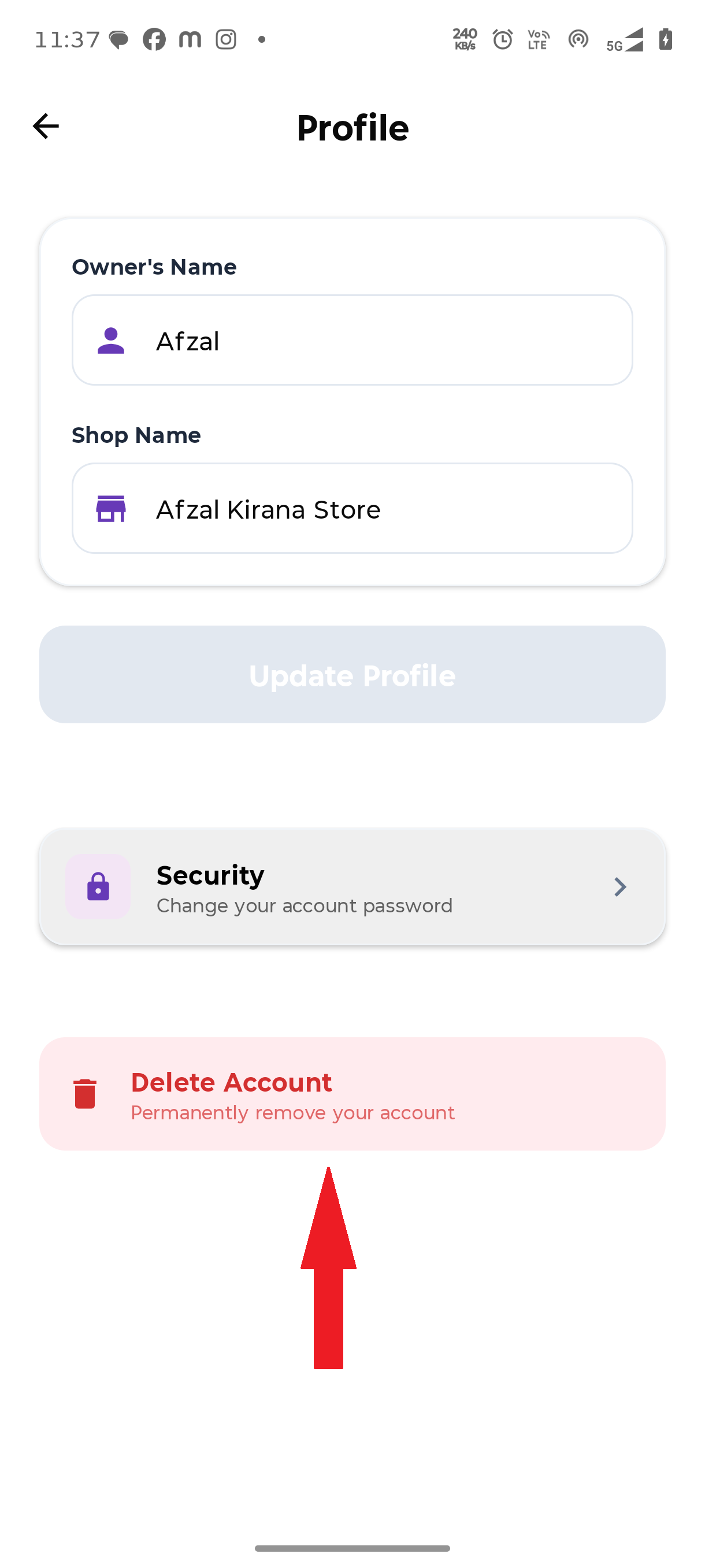
3Tap Delete Account
On the Profile screen, scroll down and tap Delete Account → "Permanently remove your account" (shown in red).
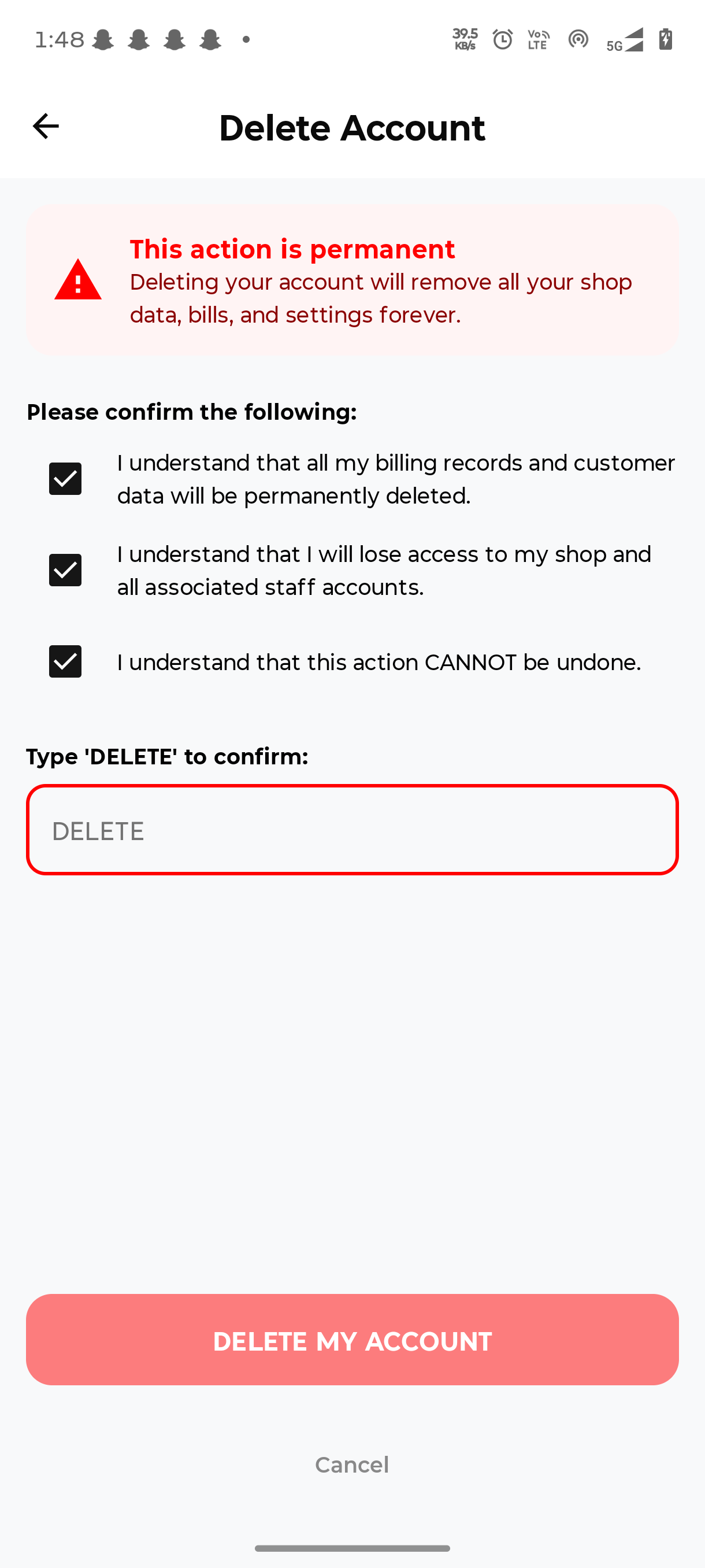
4Confirm Deletion
Check all confirmation boxes, type DELETE in the field, and tap DELETE MY ACCOUNT.
Your account and all data will be permanently deleted and you'll be redirected to the login page.
📱 Visual Step-by-Step Guide
Follow this visual flow to find and use the account deletion option within the app.
Account Deletion – Quick FAQs
↺ Can I recover my account after deleting it?
No. Once deleted, your E-Mandi Bill account and its data cannot be recovered.
📄 Will my previous bills and reports also be deleted?
Yes, bills, customers, inventory and other account-linked data stored in the app will be removed as part of the deletion.
🎧 I made a mistake, what should I do?
If you haven’t confirmed yet, you can cancel the process. If you’ve already typed DELETE and submitted, you’ll need to create a new account or contact support for further guidance.